
3.8. Profile page
Your profile page is visible to others on Mahara by default. If your administrator allowed it, you can also make it visible to everybody on the Internet. In certain circumstances, the site administrator may have allowed restricting access to your profile page to institution members only. In that case, you are able to remove the access for everybody who has an account on Mahara.
Per default only the following information is put onto your profile page:
Your display name (or real name if you do not have a display name)
Your portfolios that are visible to the person viewing your profile page
Your groups
Your wall
Your friends
When other people have access to your profile page, they can perform a number of actions or get in touch with you, depending on their permissions.
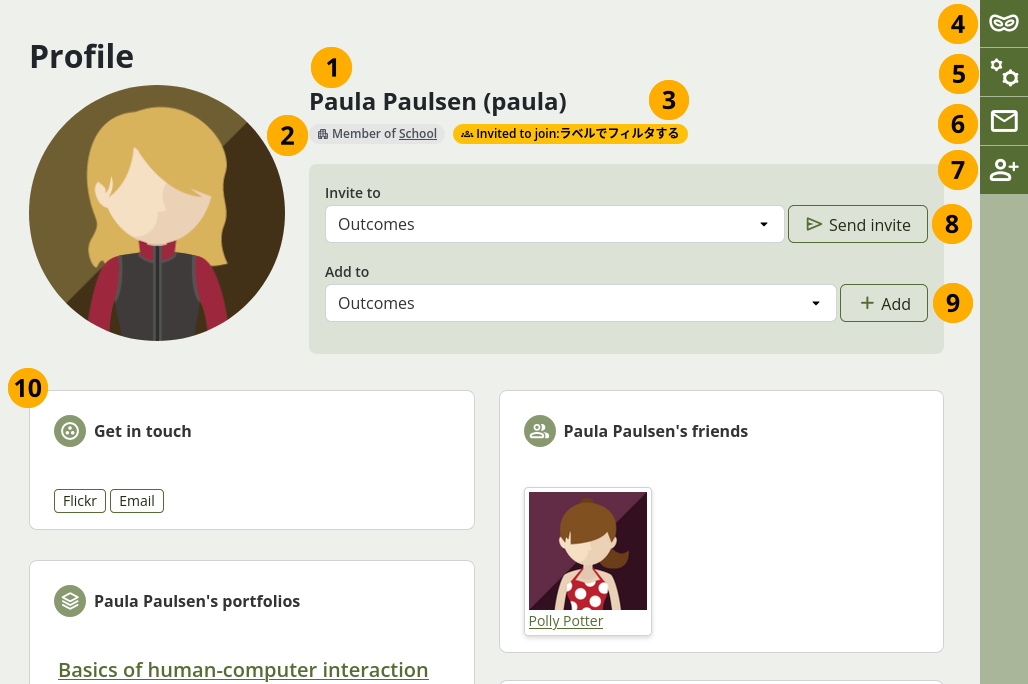
Full profile page access
Your display name and profile picture.
If you are a member of an institution, the institution name is stated and linked to the institution’s contact page.
If the person viewing your profile invited you to a group, this is stated.
An institution or site administrator can select the Log in as [username] button and masquerade as you, viewing the site as if they were you.
An institution or site administrator can view your account settings and make changes if needed by selecting the Account settings button .
If you allowed others to contact you, they can see the Send message button .
If you allowed friend requests, people can select the Request friendship button . Alternatively, if you automatically approve new friends, they are automatically added without you needing to approve them. If they don’t want to be your friend any longer, they can select the Remove from friends button .
If the person viewing your profile is a group administrator, they can invite you to one of their groups.
If the person viewing your profile is a group administrator of a controlled group, they can add you to the group immediately.
Your entire profile page is visible.
Warning
It is recommended that you do not use your profile page as your portfolio because you have less control over who can look at the information you make available on your profile. At minimum it is everybody in your institution or who has an account on Mahara. At maximum it can be everybody online.
Always remember to think about your own personal security before releasing contact information on a publicly available page or even just for other people on Mahara.
If you do not see the full profile of a person, but just 『Full access to this profile is restricted』, then you can only perform a few options for this person.
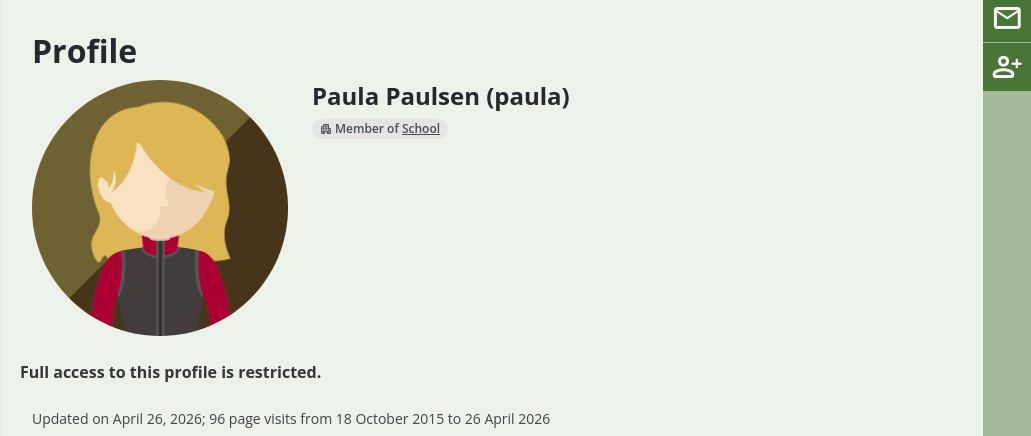
Access to the profile page is restricted
Once you have made your profile page or any portfolio page public, Google and other search engines can index and cache it. Even if you take the public access away at some point, the cached version may still be available online. Pages that are made available via a secret URL are not found by search engines unless you link to them from another page.
Use regular pages to create your portfolio and your profile page as a business card or brief introduction to you without disclosing lots of details.
See also
You can edit your profile page like any other page. You can find more information about editing a page in the section 『Add content to a page』.