
1. What’s new in Mahara 26.04?
Mahara is being improved from version to version. On this page, you see the highlights for the latest release of Mahara.
1.1. New look and feel
Mahara has a fresh, new look and feel that delivers a more consistent, modern experience that feels instantly familiar because it draws on design patterns you already know from other platforms.
All major areas of Mahara are accessible via the left-hand navigation: portfolios, groups, people, and reusable content. You can collapse the menu to save space or keep the labels visible.
The collection navigation is now also available at all times on the left.
1.2. Add a page when you are in a collection
You can add a page when you are in ‘Edit’ mode on a collection page to quickly include it without needing to create it outside of the collection first.
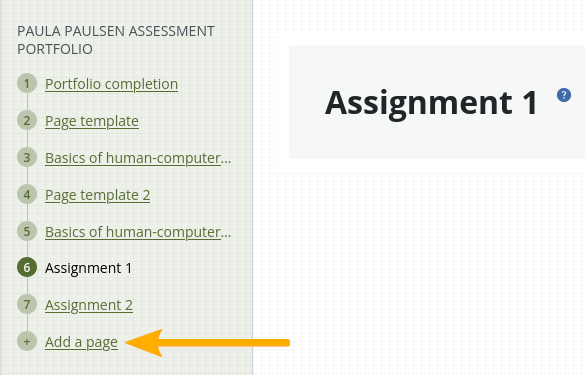
A collection navigation in ‘Edit’ mode with ‘Add page’ link
1.3. Separate configuration options for public portfolios and secret URLs
Site and institution administrators can now decide whether to allow public portfolios and secret URLs or only one of them. This gives them more flexibility in how portfolios are shared with people who do not have an account.
For example, in an institution with younger learners, the administrator may only want to allow secret URLs so student portfolios can’t accidentally be shared publicly and the portfolios indexed by search engines. However, in a second institution that has all teachers, they may allow public portfolios and secret URLs.
1.4. Merge ‘Text’ and ‘Note’ sections
In recent years, the ‘Text’ content type as received more updates than the ‘Notes’, making it quite powerful with advanced options. Now you do not need to decide between ‘Text’ and ‘Notes’ any more, but just add ‘Text’ to a page.
1.5. Merge journal sections
Instead of four distinct journal section types, there is now only one making it possible to more flexibly configure and change the section as needed. You can still add:
an entire journal
select journal entries
tagged journal entries
1.6. Quick access to content types in ‘Edit’ mode
The four content types that are listed first are directly accessible when editing a page as we assume that they are the most frequently used types of content that portfolio authors want to use.
A site administrator can re-arrange them in the plugin administration area.
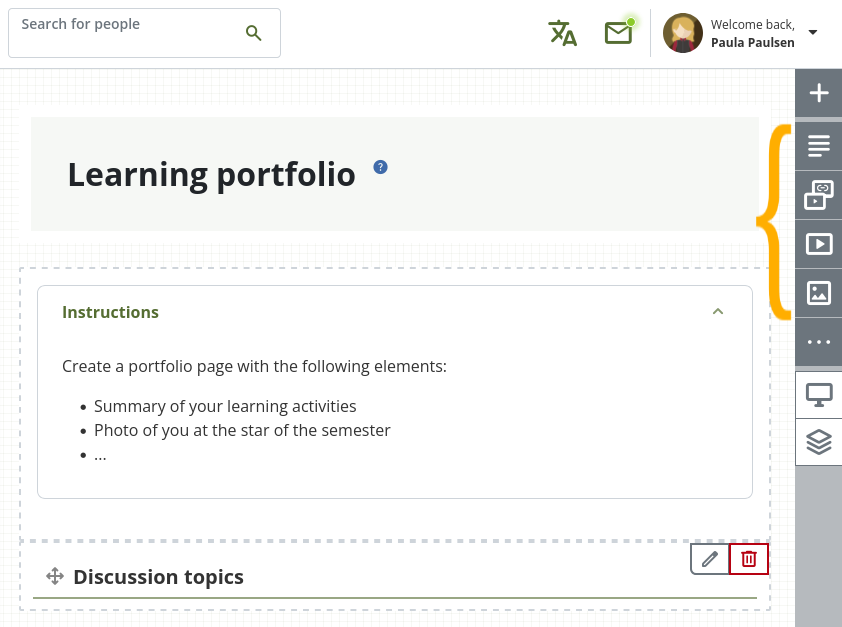
‘Edit page’ navigation bar
1.7. Merge one account into another
It can happen that a person has two (or more) accounts on a site, especially on a multi-tenanted site and account holders move between institutions. It is now possible to merge one account into another without the need to export content first.
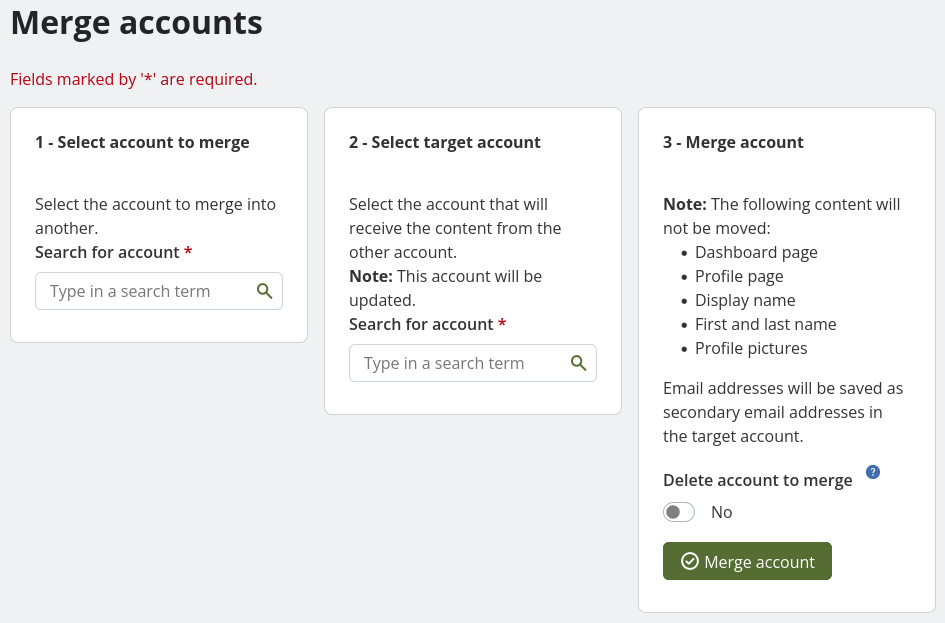
Merge accounts
1.8. SmartEvidence enhancements
Institution administrators have access to the ‘SmartEvidence’ section in the administration area to create and update their institution’s frameworks.
You can edit an active SmartEvidence framework (version 1) in the SmartEvidence editor to make small changes that don’t impact assessment or evaluation requirements.
1.9. Record audio and video (experimental)
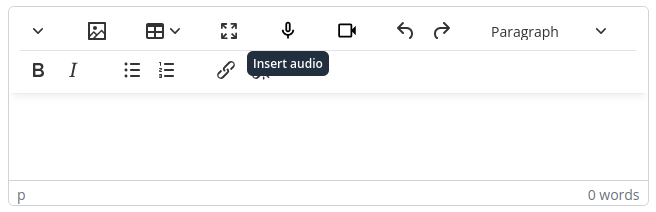
Insert audio or video content in the visual editor
Record audio and video directly from within the visual editor if your browser allows for it. This experimental feature is available for Google Chrome, Mozilla Firefox, and Opera, and the site administrator can enable it for the entire site.
1.10. Insert an accordion into text
If you have long text, e.g. in a set of instructions, and want to hide details, you can use an accordion. This makes it possible to shorten your text and focus on the big ideas yet have details available when needed.
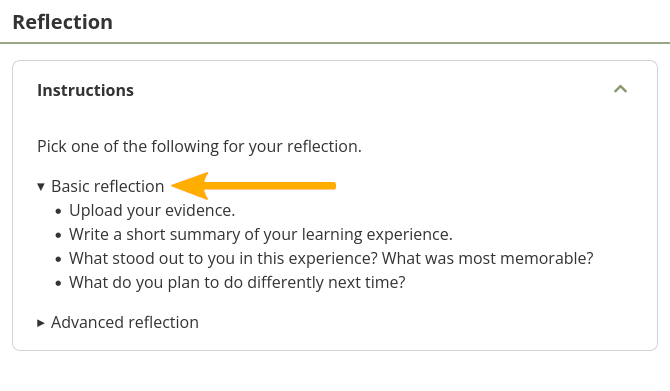
View an accordion in text
1.11. Cancel a group invitation
You can quickly cancel group invitations if needed rather than relying on a person to decline membership in your group to remove them from the list of invitees.
1.12. ‘Blocks’ are now ‘Sections’
In our efforts to support plain (English) language, we have changed how we refer to ‘blocks’. We have received feedback that the term ‘block’ is too technical. The term ‘Section’ resonated with a number of community members as that reminded them of sections in an article or book and thus helped them draw connections to what they want to do online: Put content into sections on a page.
1.14. Web service to fetch disk and database usage information
Displaying information on a dashboard outside of Mahara is useful to monitor a site. A new web service is available that sends disk and database usage information to third-party applications.
This is useful for both single-institution sites that want to monitor their usage through their regular dashboard and multi-tenanted Mahara sites where an administrator wants to keep an eye on and report over the usage by each institution easily.
1.15. Add default username into authentication method update CLI script
The `auth_method_change` CLI script can now add the username of an account holder into the remote username field if no remote username is present instead of stopping the script or outputting changes that need to be made and thus avoid a second step in handling the data if the remote username is always the internal Mahara username.